
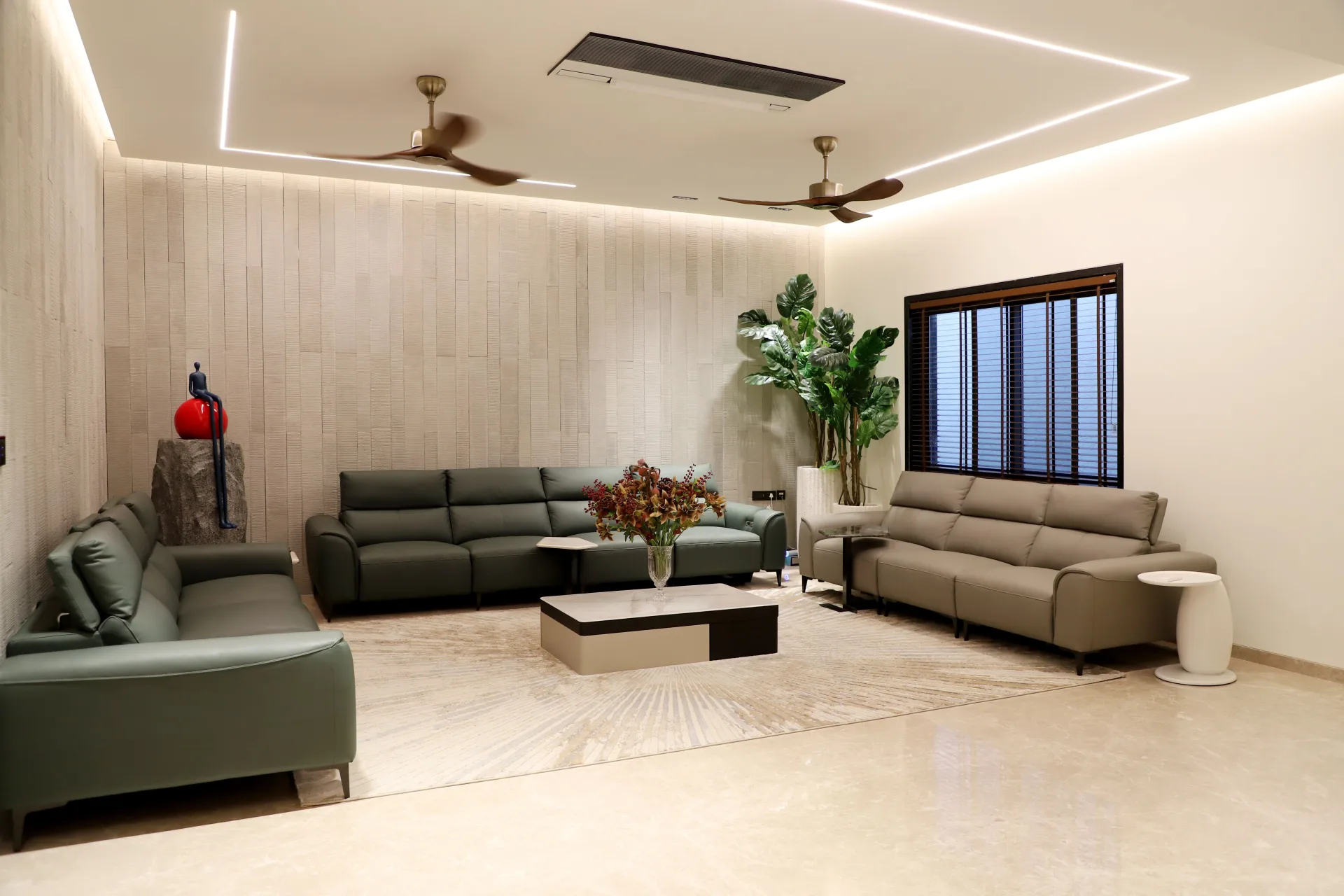
Transform your social media presence with these five before-and-after portfolio strategies proven to attract interior design clients.
Before-and-after photos remain the most powerful tool in an interior designer's social media arsenal. They deliver instant visual proof of your transformation skills, require no explanation, and stop scrollers mid-feed. Yet most designers post them incorrectly, burying their best work under poor framing, weak captions, or inconsistent strategy. The difference between a portfolio post that generates inquiries and one that gets lost in the algorithm often comes down to how you structure, present, and contextualize your transformations.
Show the Full Journey, Not Just the Glamour Shot
Most interior designers make the mistake of posting only the most flattering "before" images—rooms that look dated but still presentable. This approach actually weakens your portfolio. Prospective clients scroll past because they can't see themselves in that scenario. They think, "My space is worse than that," and assume you won't take on their project.
The strongest before-and-after posts show genuinely challenging starting points: cluttered rooms, awkward layouts, builder-grade finishes, or spaces with obvious functional problems. When you demonstrate that you can transform a truly difficult space, you signal to potential clients that their project won't intimidate you. Include photos from multiple angles in both the before and after states. A single side-by-side comparison tells a story, but three or four angles from the same project tell a comprehensive narrative that builds trust.
Add context in your caption about what made the project challenging. Did the client have a tight budget? An unusual floor plan? Conflicting needs between household members? These details help viewers mentally insert their own constraints into your success story, making the transformation feel achievable for them too.
Highlight One Specific Problem You Solved
Generic captions like "Amazing transformation!" or "Before and after magic!" waste the opportunity to demonstrate your expertise. Every interior design project solves multiple problems simultaneously, but your social media posts should focus on one specific challenge per post.
Frame each before-and-after around a single pain point that resonates with your ideal client. Examples: "How we added 40% more storage without expanding the footprint," "Turning a dark, closed-off kitchen into an entertainer's dream," or "Creating a functional home office in a 90-square-foot corner." This approach accomplishes two things: it makes your post searchable for people experiencing that exact problem, and it positions you as a strategic problem-solver rather than just someone who picks pretty paint colors.
The more specific your problem statement, the more qualified the leads you'll attract. Someone searching for "small kitchen storage solutions" who finds your portfolio post addressing exactly that challenge is already halfway to booking a consultation. They've identified their problem, seen your solution, and now they just need to reach out.
Include Budget-Tier Indicators Without Revealing Exact Costs
One of the biggest barriers preventing social media followers from becoming clients is the fear of affordability. Viewers assume your services are out of reach, so they admire your work but never inquire. You can address this hesitation without discussing specific project costs.
Use language in your captions that subtly signals the project scope: "budget-friendly refresh," "mid-range renovation," "luxury custom build," or "weekend DIY project we designed." You can also mention specific strategies you used to control costs: "We repurposed the existing cabinets and invested the savings in statement lighting," or "Shopping secondhand for accent pieces let us splurge on a custom sofa."
This approach accomplishes two goals. First, it helps potential clients self-select based on their budget, reducing time spent on mismatched consultations. Second, it demonstrates that you understand financial constraints and work strategically within them. Luxury clients appreciate knowing you're financially savvy, and budget-conscious clients feel encouraged that you won't immediately dismiss their project.
Tag Products, Partners, and Locations Strategically
The metadata attached to your before-and-after posts matters as much as the images themselves. Strategic tagging extends your reach beyond your existing followers and connects you with people actively searching for design services in your area.
Always include your city or neighborhood as a geotag. Instagram and Facebook prioritize local content in search results, and potential clients searching for "interior designer near me" are more likely to discover your work. Tag any retail partners, contractors, or product manufacturers you worked with. Many have large followings and feature designer content regularly, exposing your portfolio to their audience.
Create a branded project hashtag for each major transformation, then use it across multiple posts as you share different angles and details. This builds a mini-gallery for each project that interested viewers can explore. Supplement with a mix of broad industry hashtags, location-specific tags, and niche descriptors relevant to the project style. But keep your total hashtag count reasonable—ten to fifteen well-chosen tags outperform thirty generic ones.
Establish a Consistent Posting Cadence and Format
Sporadic before-and-after posts get lost. Consistency trains your audience to expect and look for your transformations, and it signals to algorithms that your account actively produces valuable content. Decide on a realistic frequency—whether that's one transformation per week or one every two weeks—and stick to it.
Develop a recognizable visual format for your before-and-after posts. This might mean always using a split-screen layout, always posting a carousel with the same sequence of before/during/after/detail shots, or always using the same font and color for text overlays. Consistency creates immediate visual recognition as people scroll. They see your distinctive format and stop because they know quality content is coming.
Plan your content calendar around project completion dates, but also consider seasonal timing. Posting a living room transformation in early January taps into New Year renovation energy. Sharing an outdoor space makeover in March captures people planning for summer entertaining. Strategic timing increases the likelihood that viewers are already thinking about the type of transformation you're showcasing, making them more likely to take action.
Turn Your Portfolio Into a Client Pipeline
Your before-and-after portfolio demonstrates your skills, but you still need a clear path for interested viewers to become paying clients. Include a specific call to action in every post: "DM me to discuss your kitchen renovation," "Link in bio to schedule a consultation," or "Comment DETAILS for project information."
If you're ready to connect with homeowners and business owners actively searching for interior design services right now, create a free profile on RippleQuest. You'll receive direct client requests from people in your area who need exactly what you offer, turning your expertise into a steady stream of qualified leads without relying solely on social media algorithms.